Traceability and compliance

Farmer and plot register

Know every farmer and every plot, with the evidence to show it.

The register is the foundation of traceability: a purchase, a lot or an EUDR statement only holds if the plot of origin is known and properly geolocated. Sankora takes over your existing files, checks every GPS survey and tells you exactly what still needs fixing.

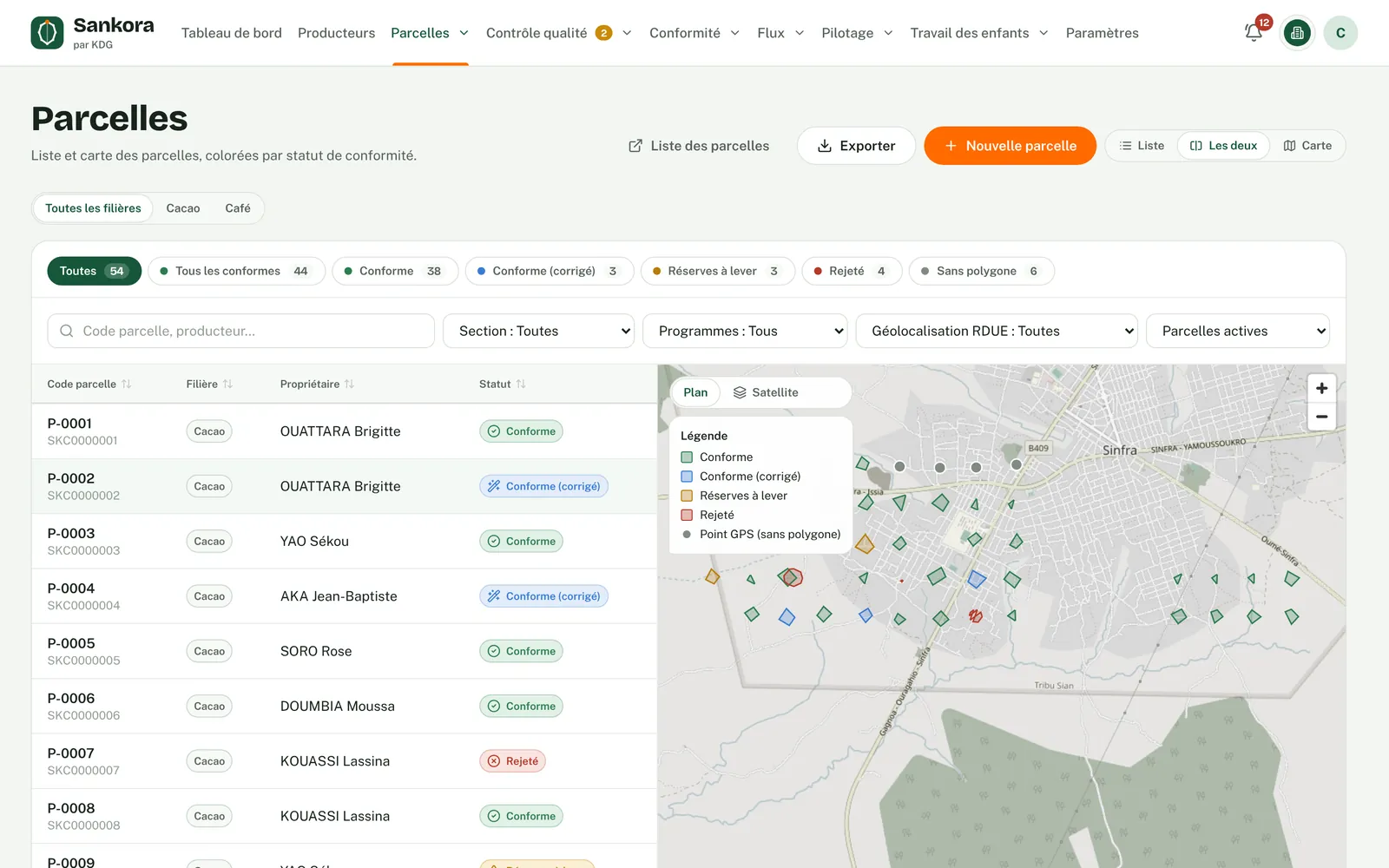
Plot register: list and map side by side, filters by status, section and programme.
Why it matters

Why a reliable register changes everything

01

The EUDR requires geolocation

Every product sold in the European Union must be linked to the plots where it was produced. A GPS point is enough up to 4 hectares; beyond that, a polygon is required. Without a geolocated register, no statement is possible.

02

Field surveys are often flawed

Unclosed polygons, GPS spikes, overlaps, swapped coordinates: surveys from several providers contain errors. When the buyer finds them, whole lots are held up.

03

Duplicates distort volumes

A farmer registered twice can deliver more than their plots produce. These gaps undermine the whole organisation's credibility with its buyers.

04

History must stay accurate

A plot changes hands, a polygon gets corrected. Years later, you must still be able to show the exact situation on the day of each purchase.
Step by step

How it works

  1. 1

    Bring in your register

    You fill in Sankora's official Excel template with your farmers and plots. Every row is checked in a preview, then the import runs in one go, all or nothing.

  2. 2

    Upload GPS surveys

    Your field officers or providers record plot points and boundaries in the field. You upload their GeoJSON, KML, KMZ, GPX or ZIP files, whatever tool they used.

  3. 3

    Rule-by-rule checks

    Each polygon is checked for closure, spikes, self-intersections, overlaps, area, country, classified forests and protected areas. Minor defects are fixed automatically and the original survey is kept.

  4. 4

    Fix it at the source

    Major defects are explained, in French and English, so the field team can redo the survey. A rejected polygon can be quarantined: it leaves maps and statistics without being lost.

  5. 5

    A register ready for what comes next

    Each plot carries its EUDR geolocation status and its estimated output. Purchases, lots and EUDR files build directly on this register.

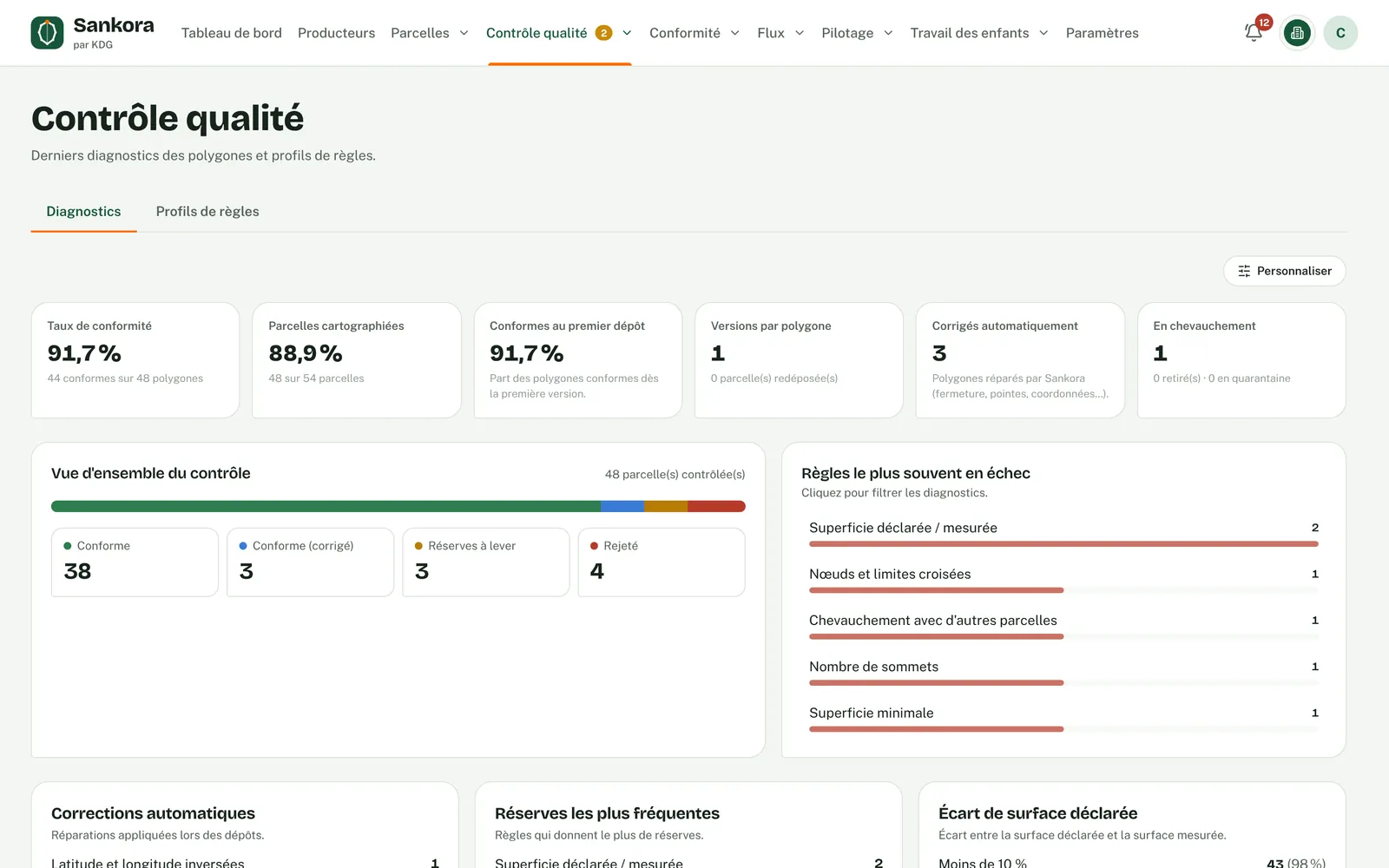
Polygon checks: compliance rate, automatic fixes and failed rules.
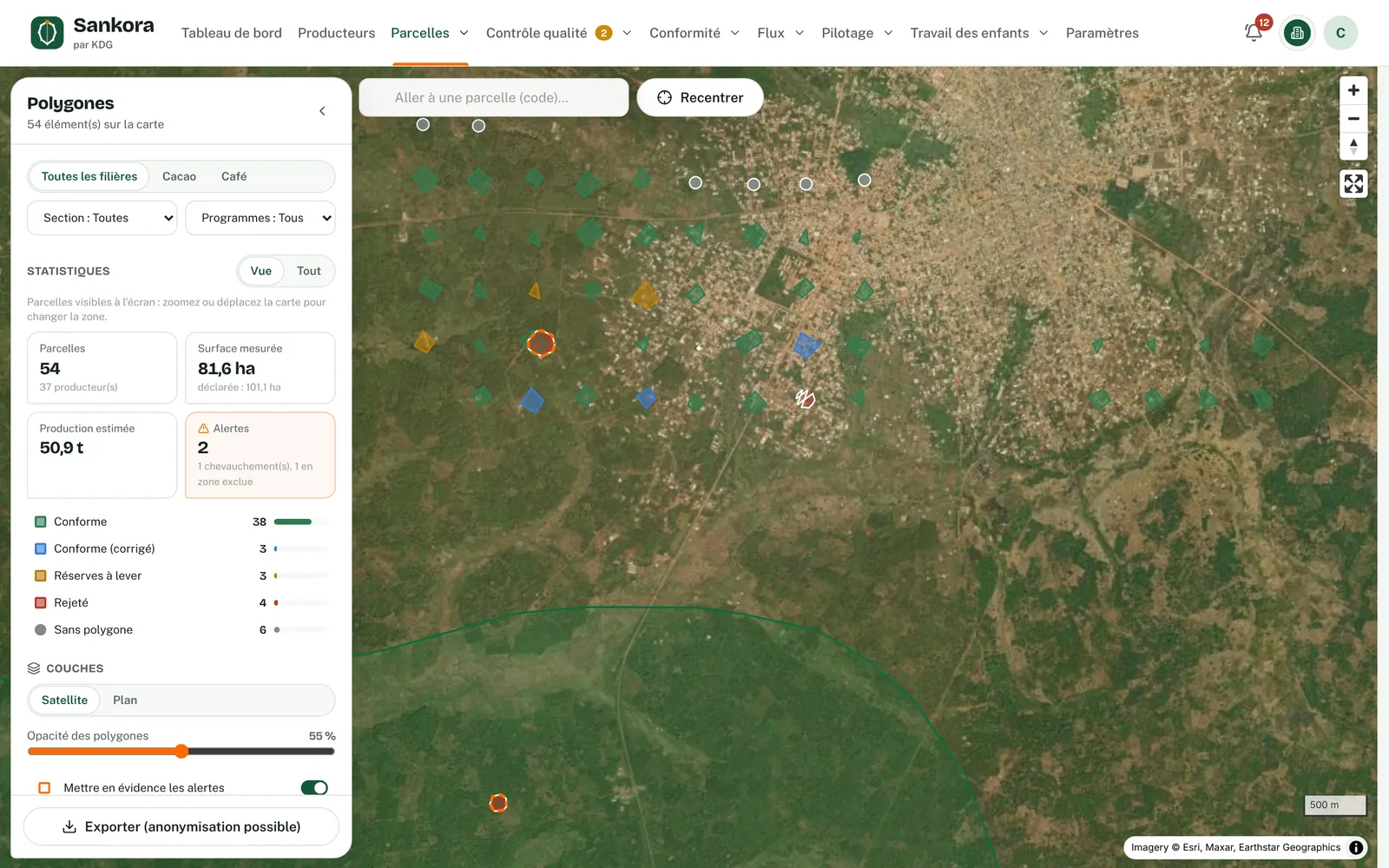
Polygons on satellite imagery, each plot coloured by status.

Real application screenshots · fictitious demo data

Features

  • Farmer record: identity, ID document, phone, locality, sector ID card, consent
  • Dated link between each plot and its farmer, history never rewritten
  • Excel import in a fixed template, row-by-row preview, all-or-nothing import
  • Reads GeoJSON, KML, KMZ, GPX and ZIP polygons from any source
  • Explained checks, logged automatic fixes, every version kept
  • Rule profiles matched to your buyer's requirements
  • Duplicate detection (ID, phone, name, neighbouring plots) and record merging
  • Satellite map with classified forests and protected areas, Excel and TRACES-format GeoJSON exports

Who it is for

Cooperatives

Keep your member and plot list up to date, and show your buyers a checked register.

Exporters

Bring together your partner cooperatives' registers and apply the same checks to every survey.

Buyers and brands

See your geolocation requirements applied through a rule profile, and get plots you can verify.

Programmes and NGOs

Work from a reliable base of farmers and plots to target and follow your field activities.

What you get

A clean register where every plot is geolocated, checked and ready to back up your purchases.

Frequently asked questions

Your questions about this service.

What tool should we use to survey plots?

Whatever your field officers or providers already use: GPS unit, phone or mapping app. Sankora reads the resulting files and applies the same checks to every survey, whatever its source.

Can Sankora fill in a plot with no GPS point?

No. Sankora never generates a point or a polygon: a made-up coordinate would create a non-compliance. The plot stays flagged as not geolocated until a field survey is provided.

What happens to a corrected polygon?

Each upload creates a version. The original survey is kept alongside the corrected version, and a rejected version never replaces the compliant one in force.

How are duplicates handled?

Sankora alerts without blocking. You decide: two different people, or the same person, with the records merged if you wish; the record you keep then takes over the other's plots.